
Product · The Cafe OS
From the first order to the last count.
Brewly is the Cafe OS: one system for the counter, the floor, the kitchen, the shelf, the team and the books. Here is what it does, in the order a cafe day happens. Everything on this page is built and in use in our own testing. Brewly is in private beta, so some parts are newer than others.
Billing and payments
Fast where it counts, exact underneath.
A counter that keeps pace with the morning rush, and still gets the tax, the tender and the till right.
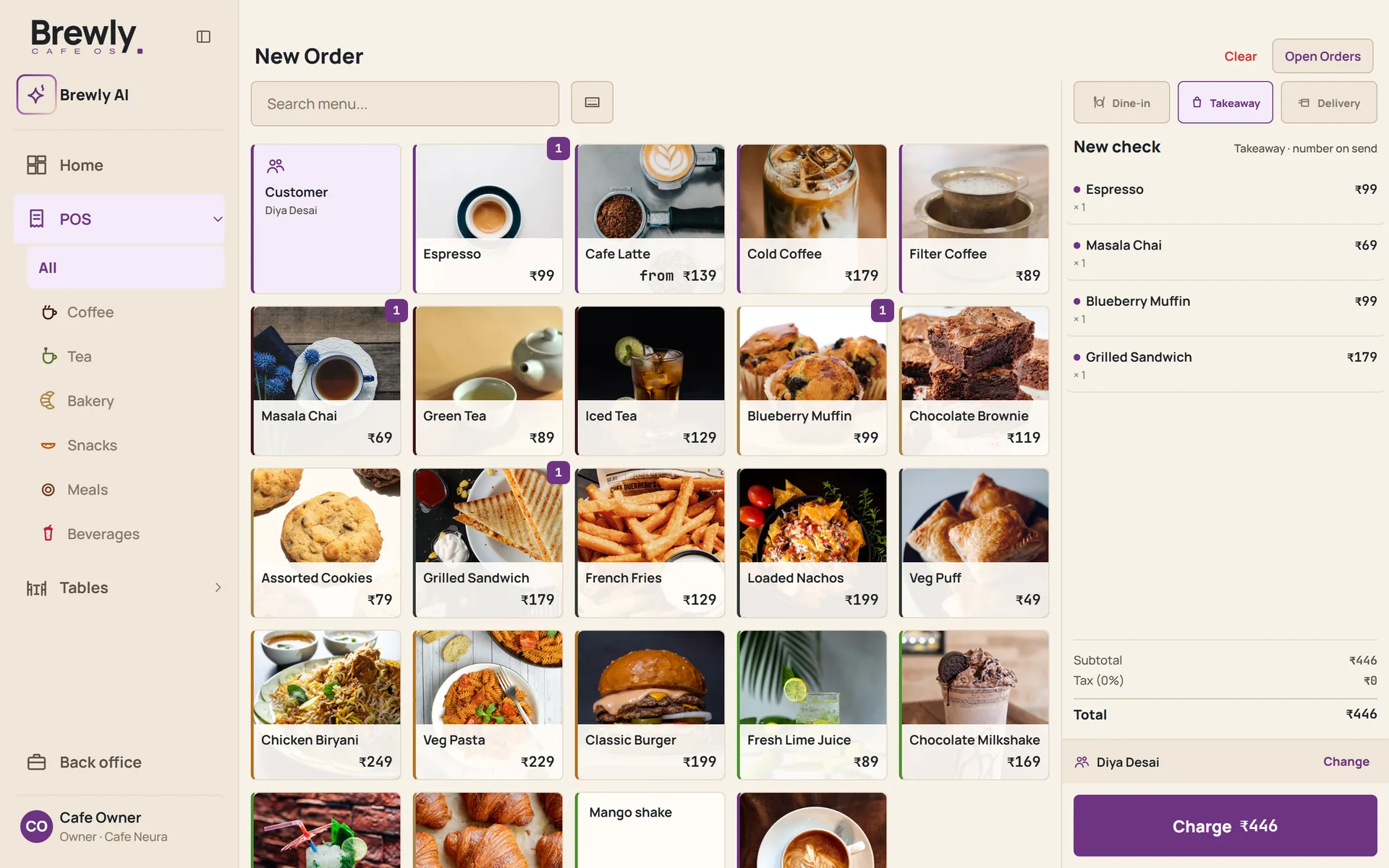
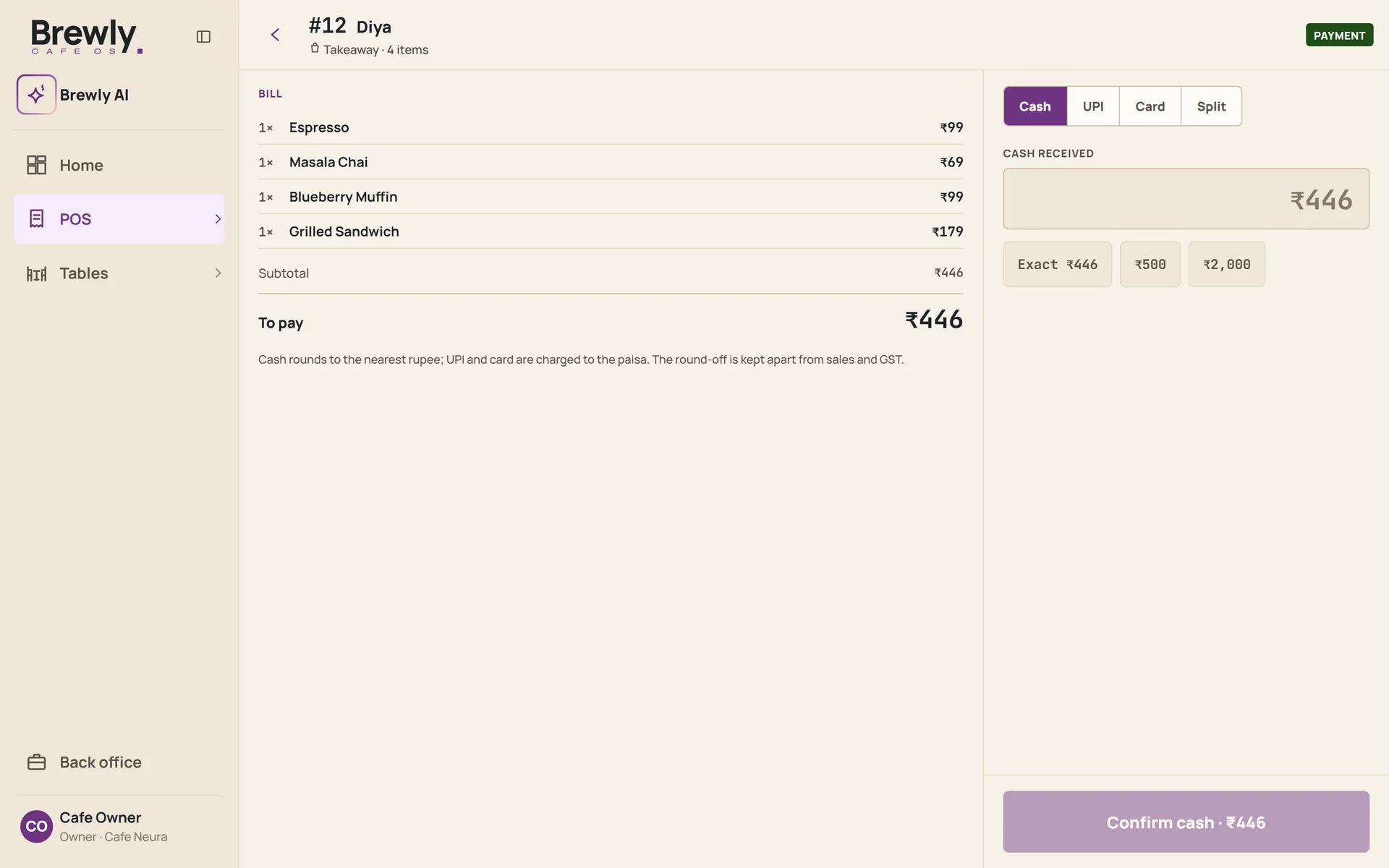
- Counter and table billing for dine-in and takeaway, with GST worked out per item.
- Split a bill between guests, whichever way the table prefers.
- Payments recorded by method: UPI, cash or card.
- Cash is rounded to the nearest rupee. The round-off is shown on the invoice and kept apart from sales and GST, so neither is distorted.
- Discounts, voids and comps need the right permission, and every one is recorded.
- A till with an opening float and a counted close, so a shortfall shows up the same day.
- Receipts print at the counter or go to the guest by email.
Tables and service
A tab for every table, a phone for every waiter.
Front of house that keeps up with a full room, with no handheld to buy.
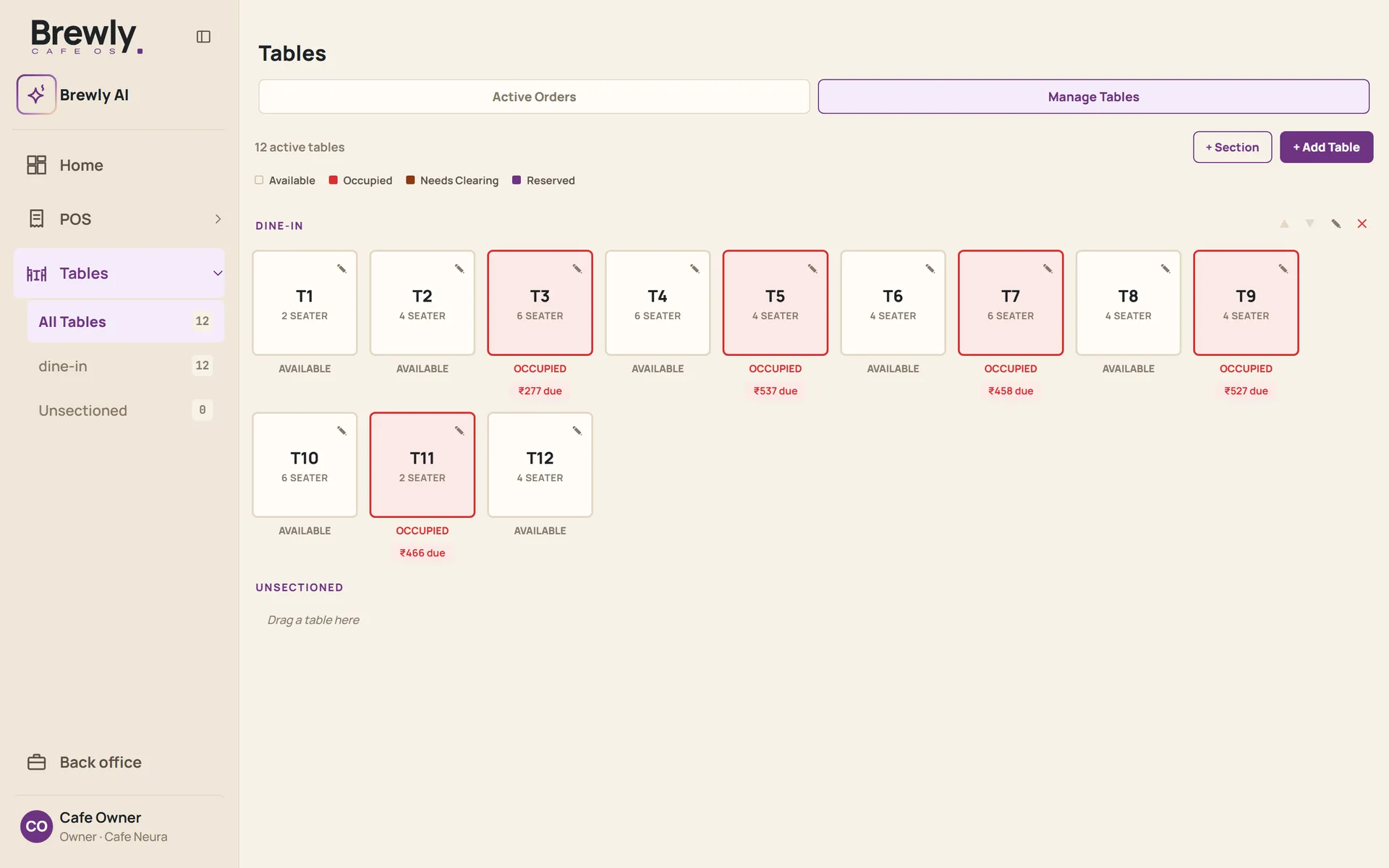
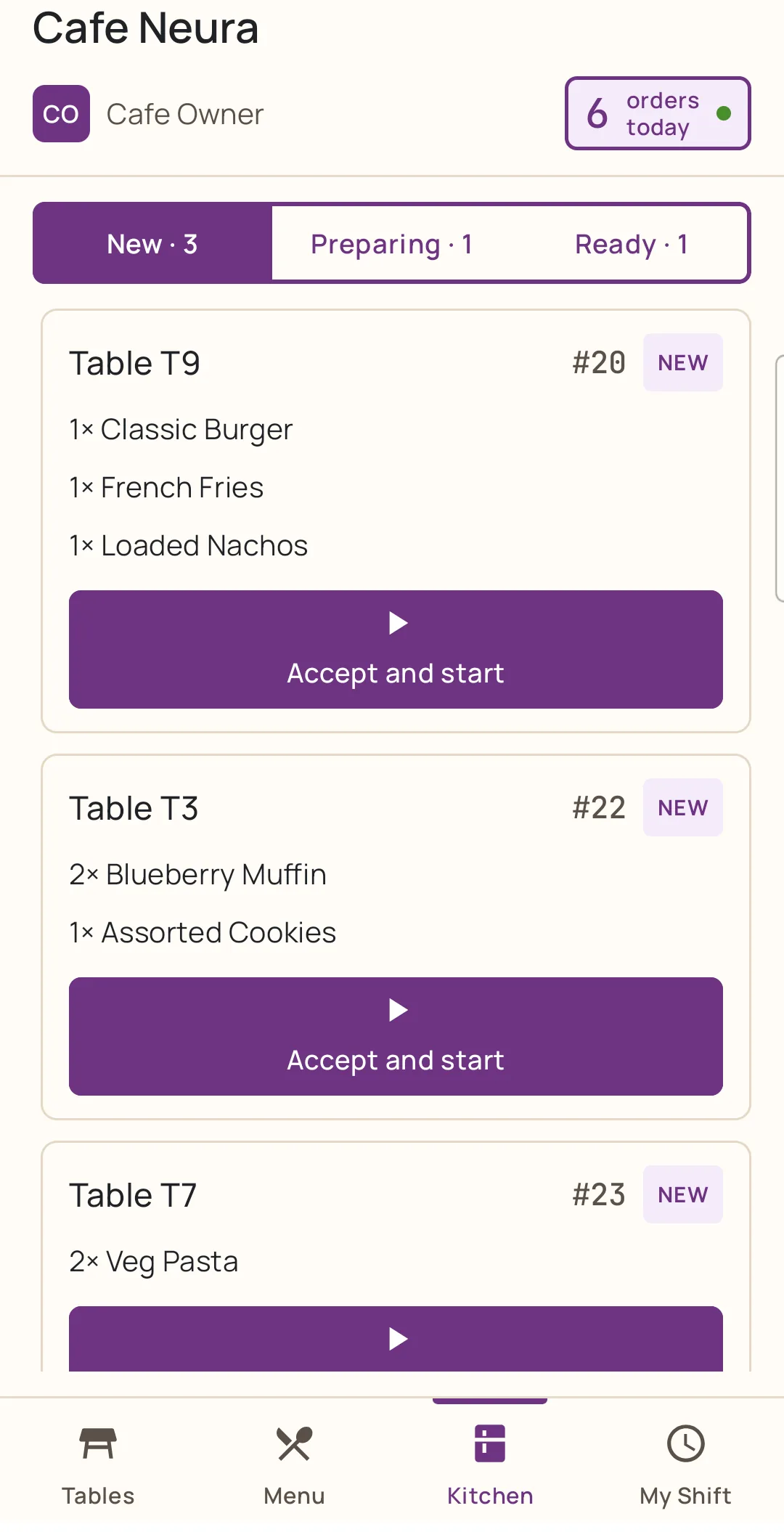
- Open a tab for a table and add rounds as the table orders.
- Merge tables for a larger party, and keep reservations in the same place as the floor.
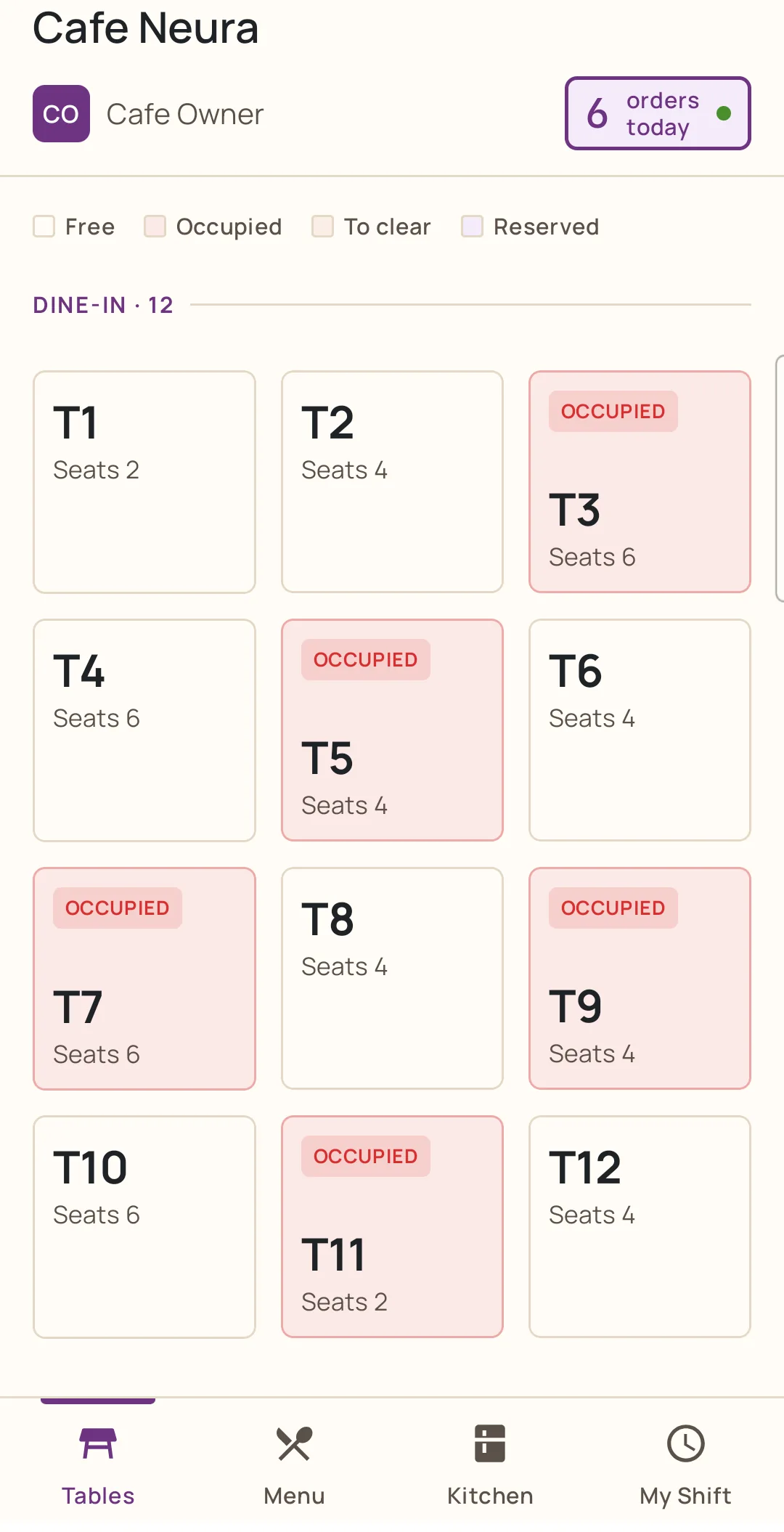
- A Captain app for waiters on their own Android phones: the table map, taking orders, and their own shift.
- Staff sign in with a personal passcode, so every action has a name beside it.
Kitchen and bar
Tickets that arrive, and times that teach.
Orders reach the bar and the kitchen the moment they are placed, and every tap teaches Brewly how long each drink and dish really takes.
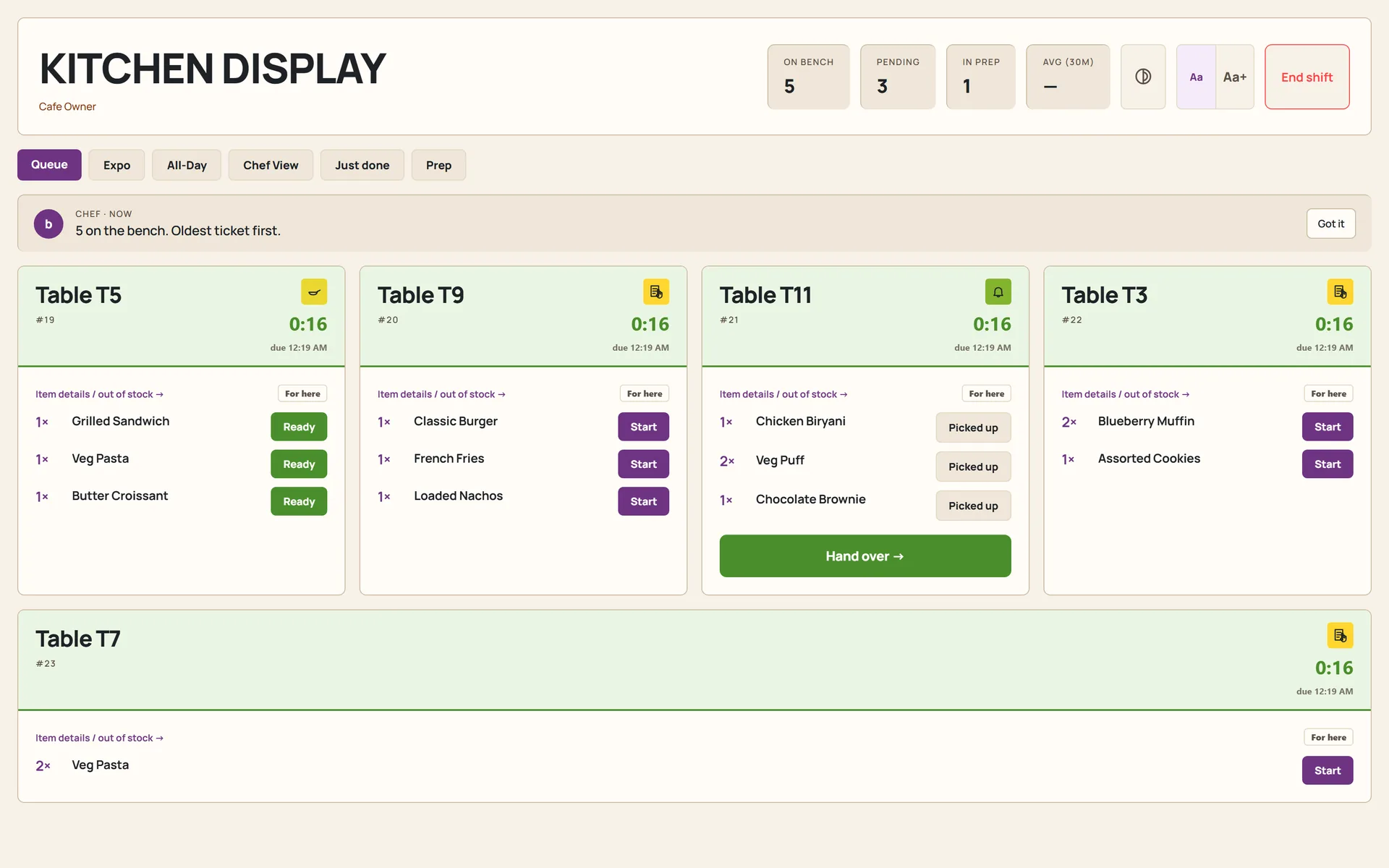
- Kitchen and bar screens that show tickets as orders are placed, with preparation time recorded per item.
- Kitchen speed shows where a service slows down, order by order and dish by dish.
- A rush planner built on your own orders, so you roster for the peaks you actually have.
- A prep list on the kitchen screen: today's ingredients with a tick for each, and anything running short flagged.
- When the chef runs out of an ingredient, they flag it. Every dish that needs it is held automatically, so the counter stops selling it.
- Reports on what was made and not sold, and on what ran out and for how long.
- Tickets can also print for kitchens that prefer paper.
Stock and recipes
The shelf and the system, in agreement.
The part most systems leave to a spreadsheet.
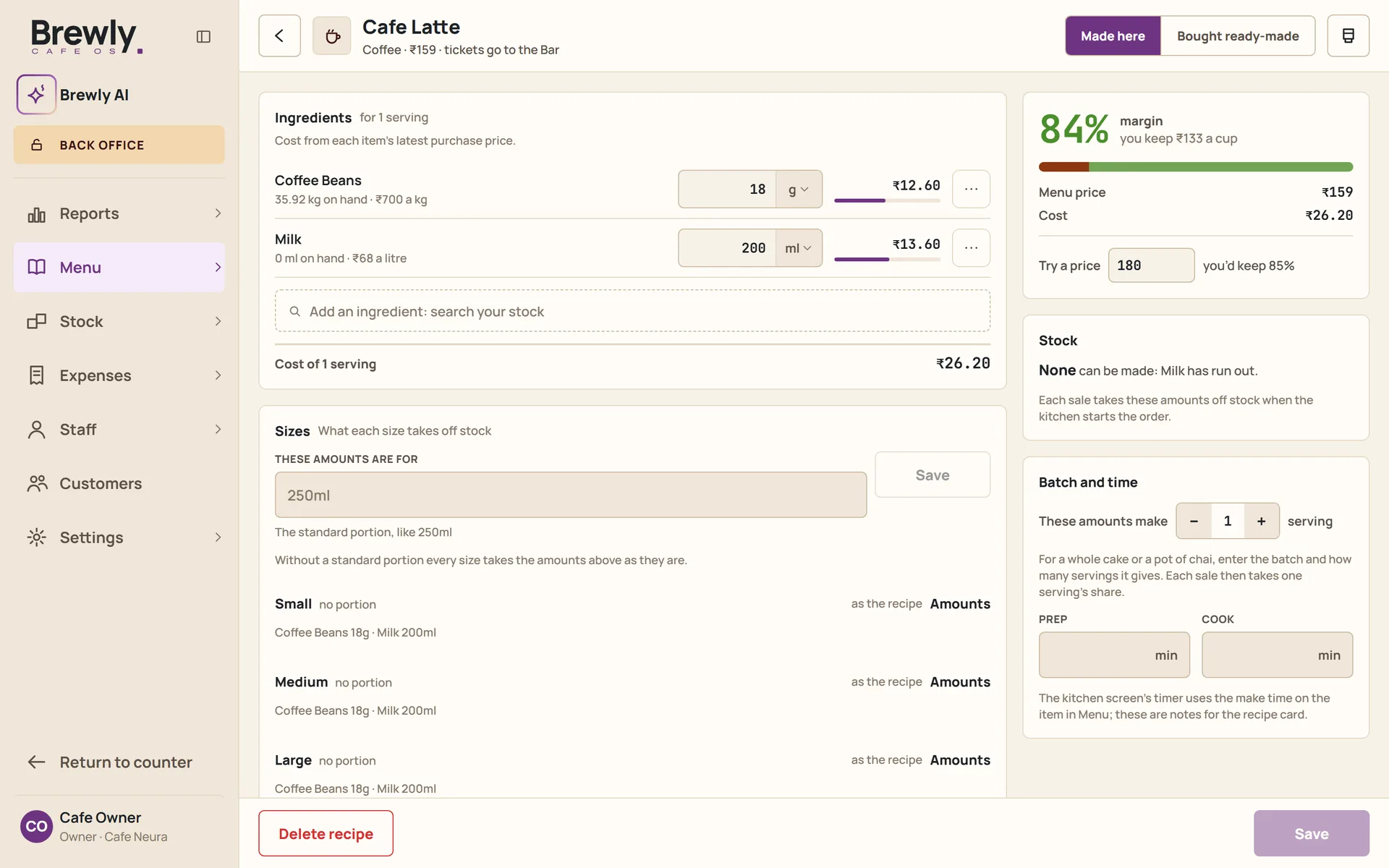
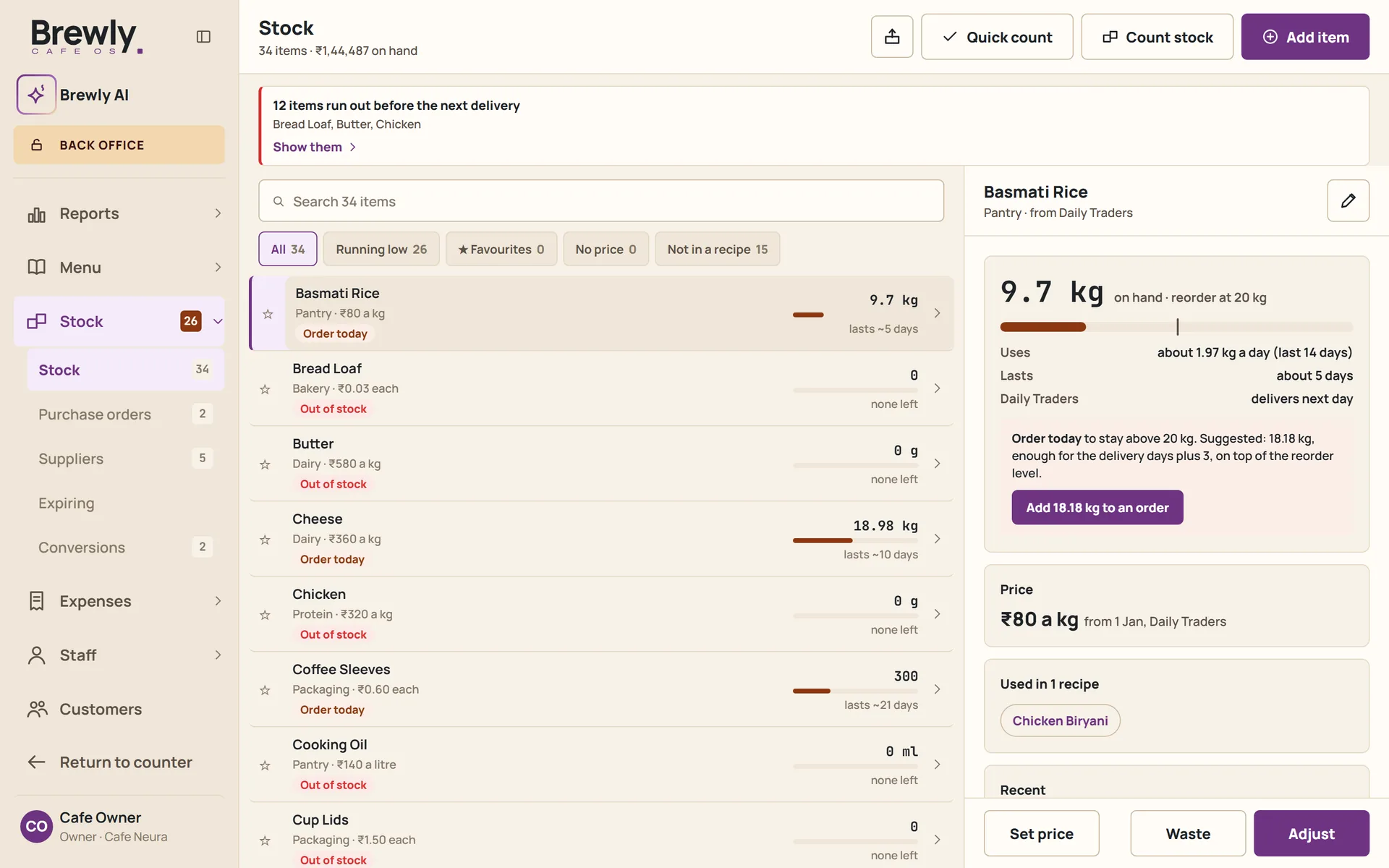
- Recipes with exact quantities, linked to your stock items.
- Ingredients are deducted automatically as each dish is prepared, and recorded as waste when an item is voided.
- Ingredient prices keep a history, so the cost of a dish reflects what you actually paid at the time.
- Purchase orders and stock counts in the same system.
- A variance report that compares what you should have used with what actually left the shelf, and shows the difference.
Regulars and guests
Know who comes, when, and who has gone quiet.
A cafe lives on its regulars. Brewly keeps the memory your best waiter would, for every guest.
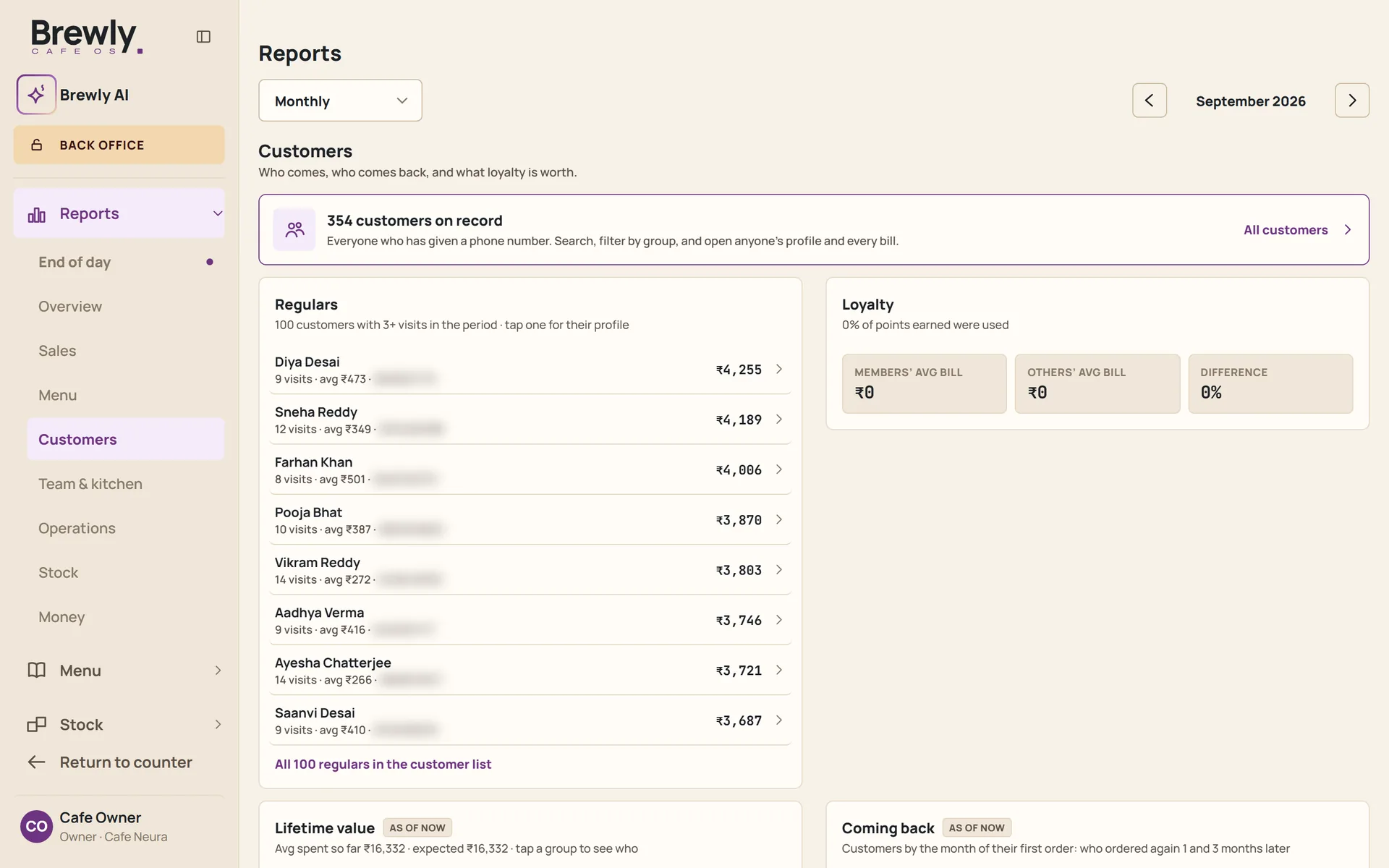
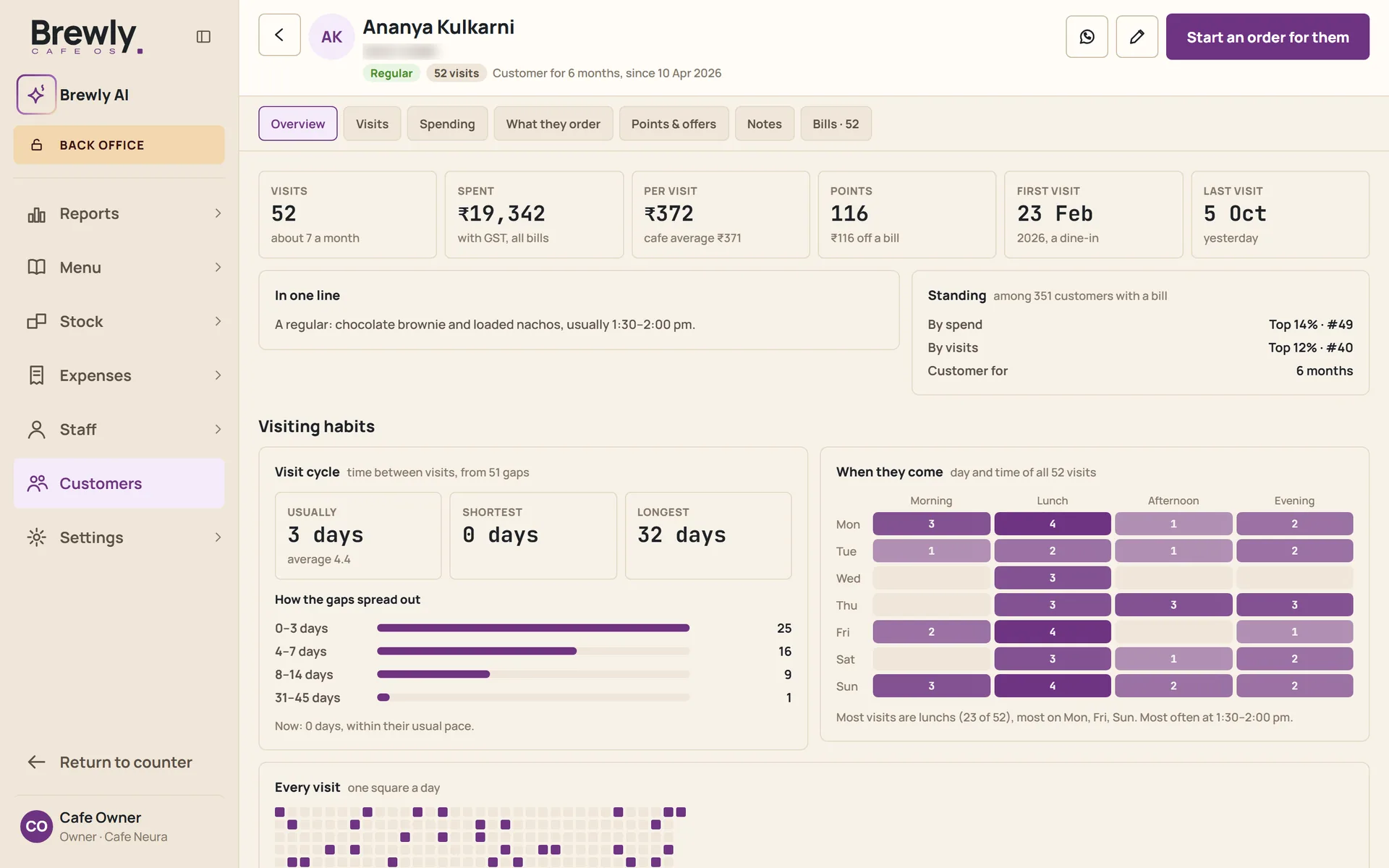
- Each guest's visiting habits: how often they come, which days and times, and every visit on a calendar.
- Their usual pace, set against today, so a regular who is later than usual shows up.
- Missed regulars: the guests who used to come and have gone quiet, while there is still time to say hello.
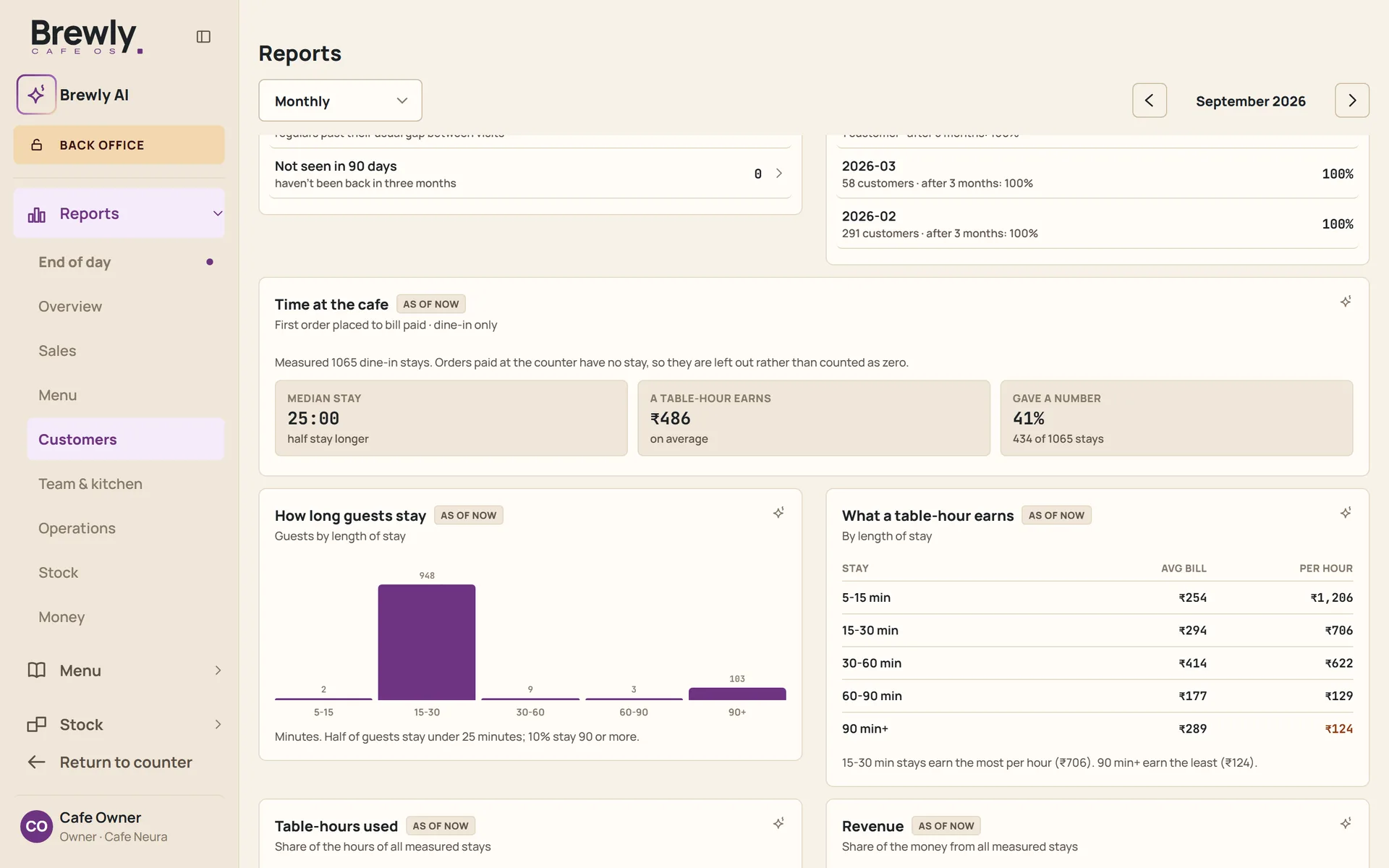
- Time at the cafe: how long guests stay, what a table earns for each hour, and how the length of a first visit compares with coming back.
- Built from the details taken at the counter. A guest who prefers not to share stays anonymous.
People
A team that runs without a second set of tools.
Rosters, hours and pay in the same place as the service they belong to.
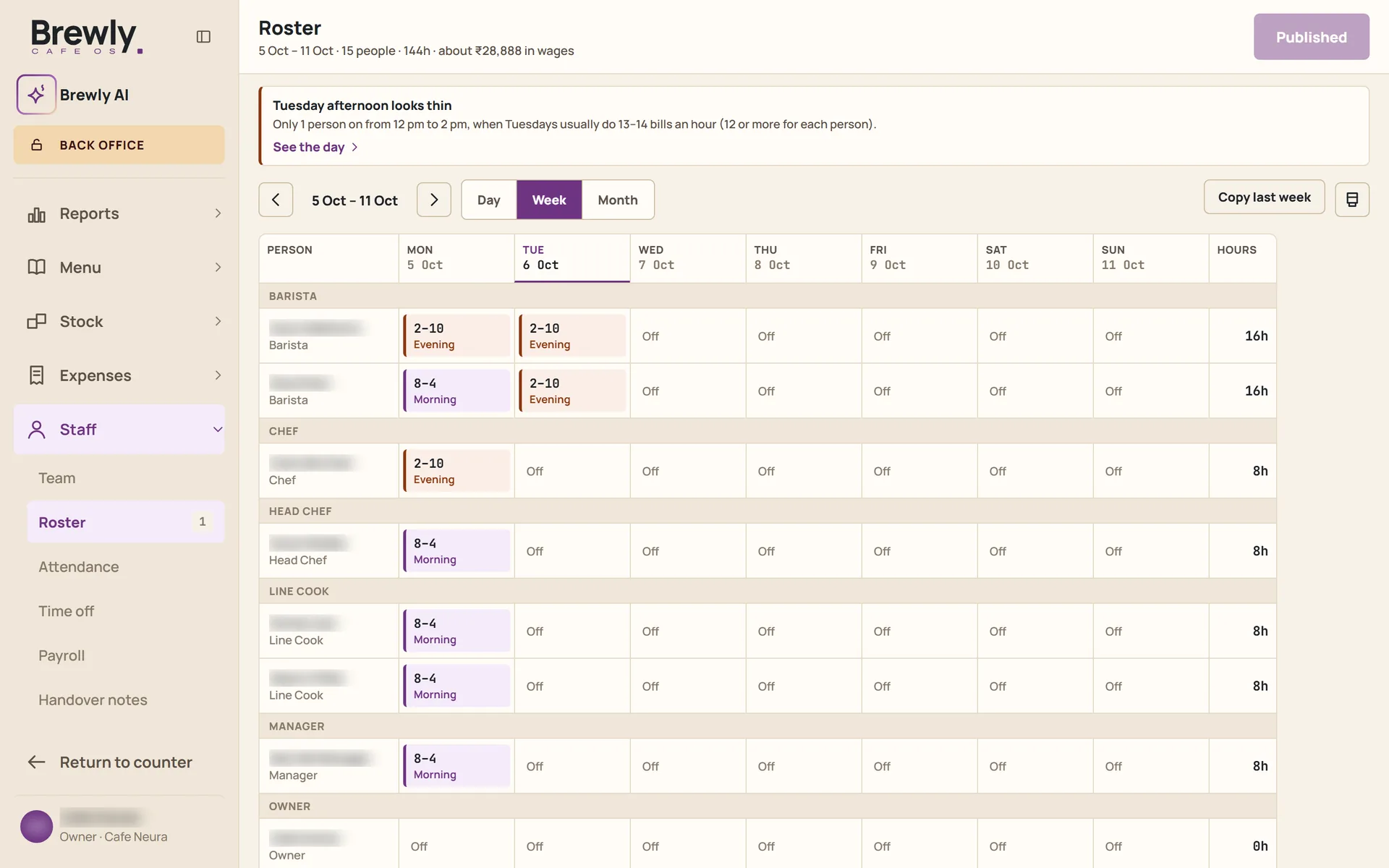
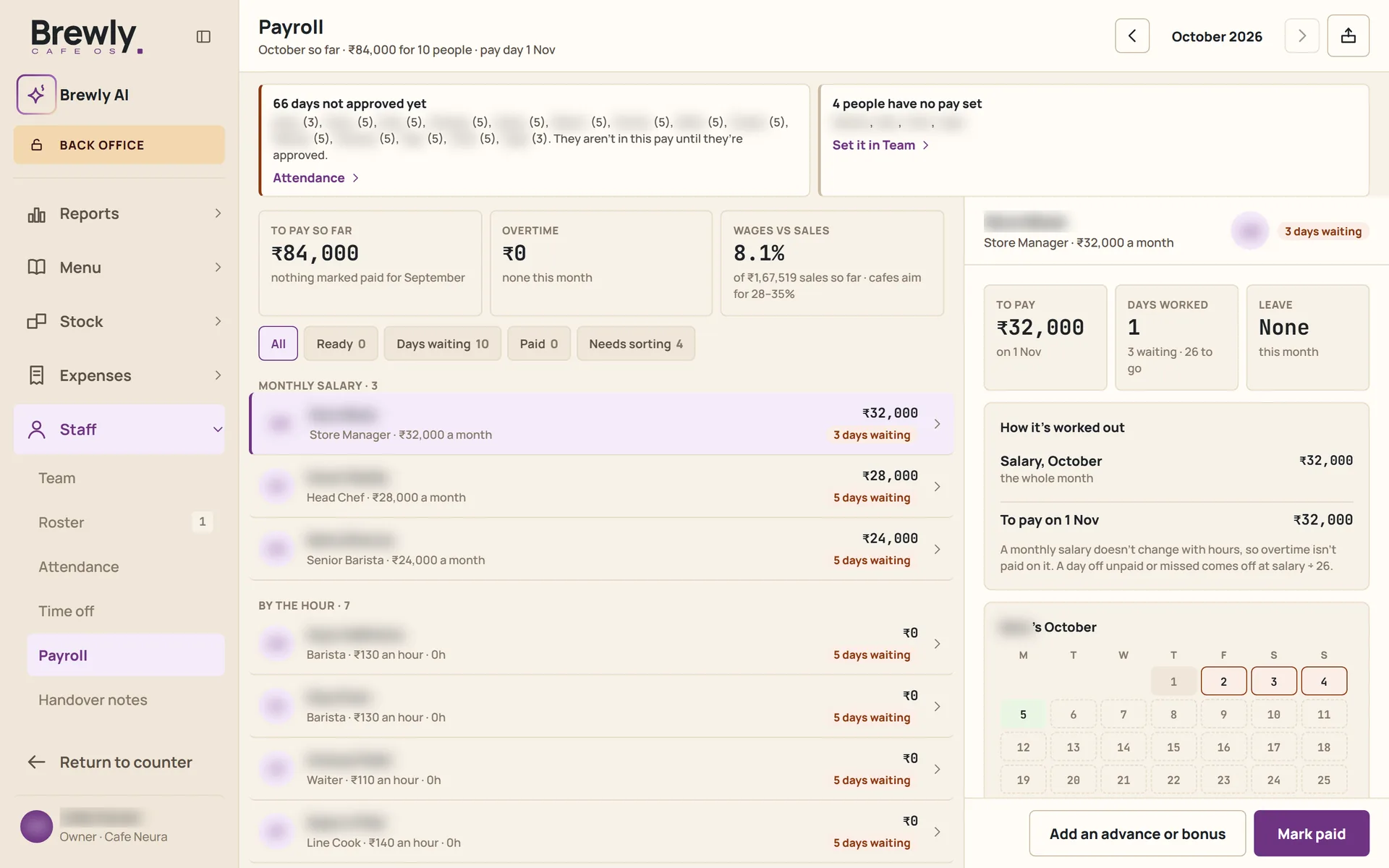
- Rosters, attendance and time off.
- Payroll worked out from the hours and the roster.
- Handover notes between shifts, so nothing lives only in someone's head.
- Staff profiles and documents.
- Permissions by role. Managers can ask for a price change, and the owner approves it, within limits the owner sets.
Reports
Read the day before you leave.
The numbers, without the Sunday-night spreadsheet.
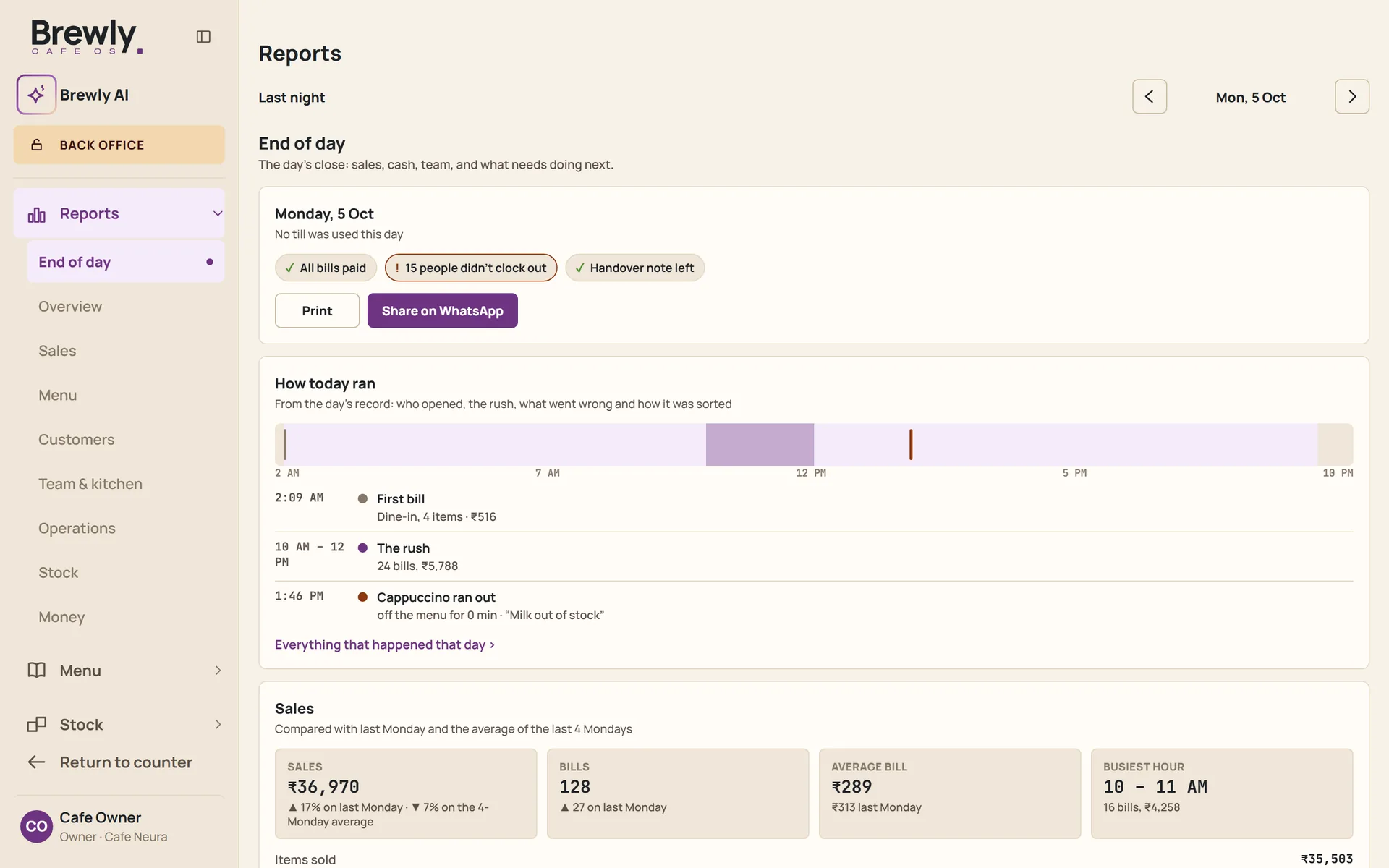
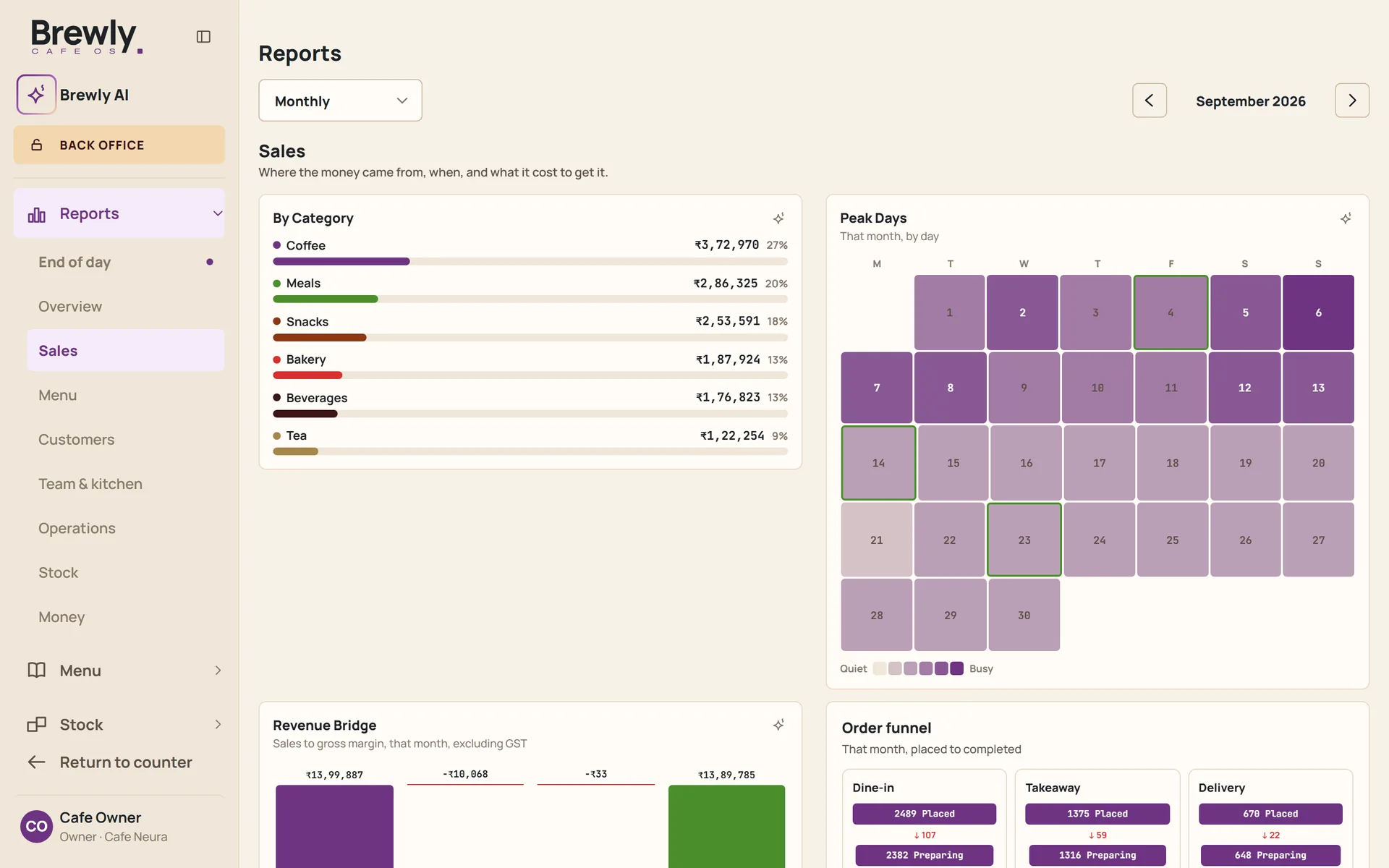
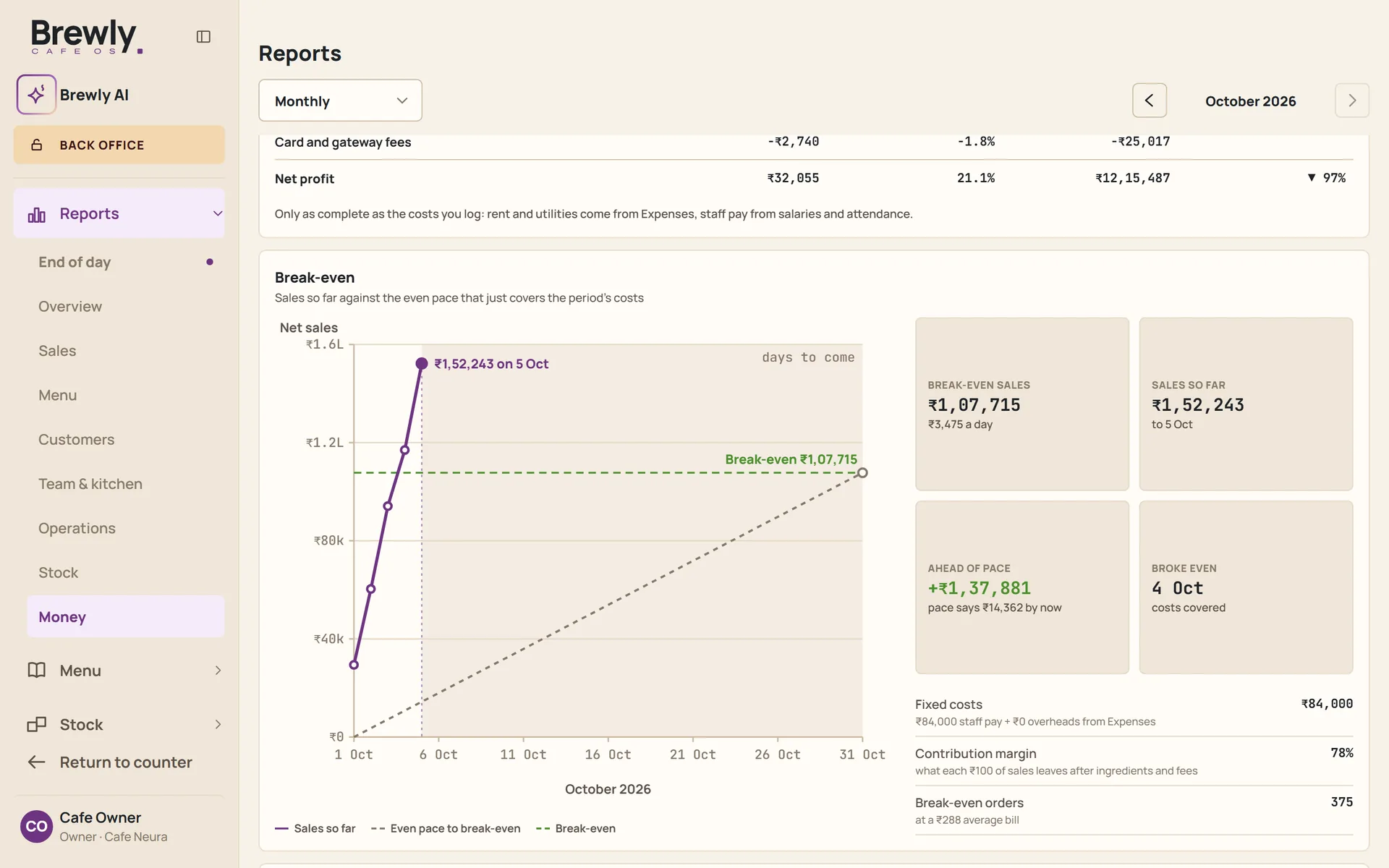
- A full set of sales and cost reports across periods, days and items.
- An end-of-day report that arrives by email every night for owners and managers.
- Break-even pace: this month's sales against the even pace that just covers your costs, and the day you cover them.
- Expenses and recurring bills recorded alongside sales.
Brewly AI
Ask your own cafe.
Questions about your cafe, answered in plain language from your own records.
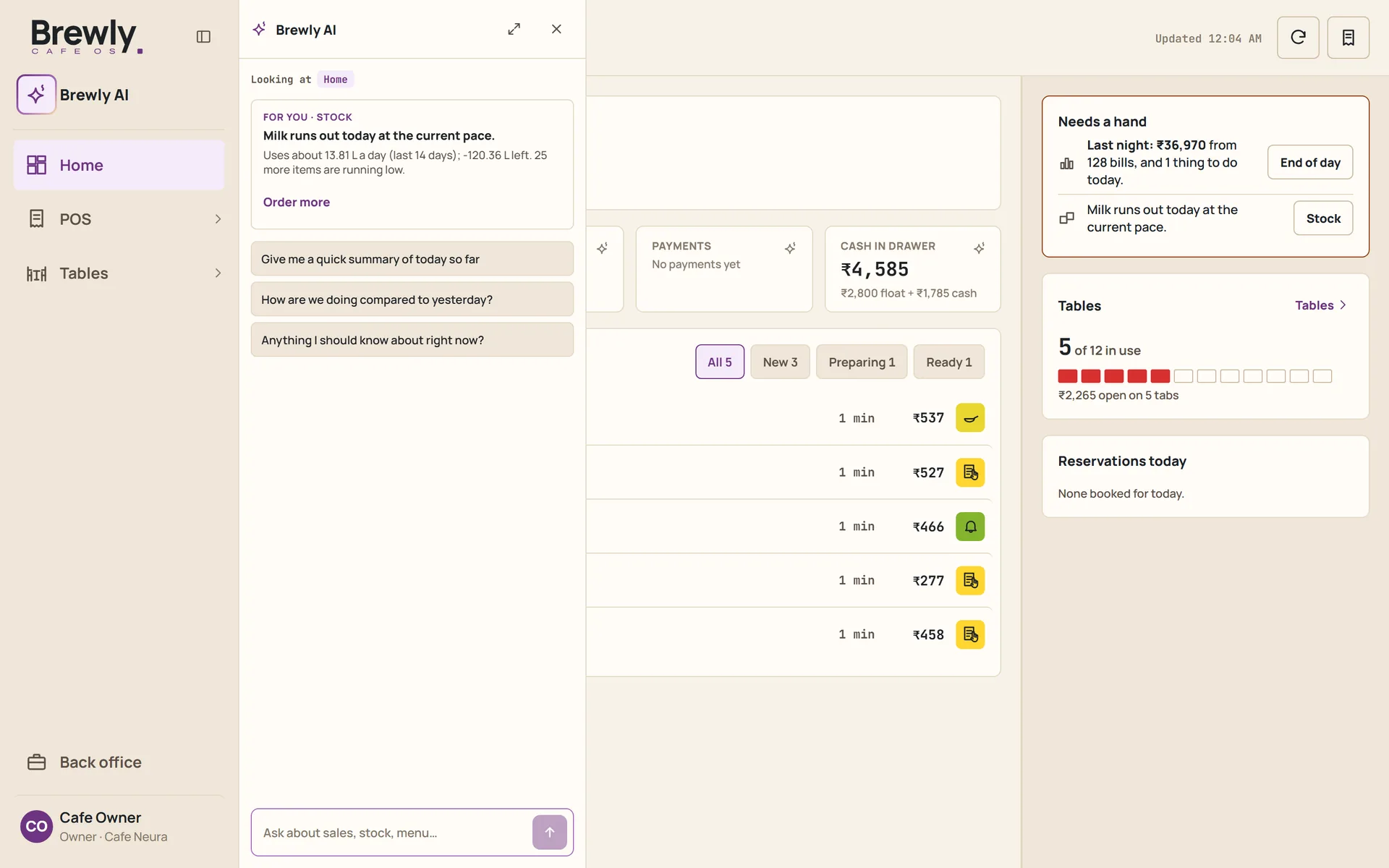
- A chat inside the system for the owner, who can ask about sales, cost, stock and staff in the cafe's own records.
- Numbers are calculated from your records. The AI explains them; it does not guess them.
- Availability depends on the plan. Plans are described on the pricing page.
What it runs on
What you already own, plus a printer.
No branded terminal to buy, and no hardware bundle to sign up for.
- At the counter: the phone or tablet you already have, and a receipt printer for the bills guests ask for.
- In the kitchen: a spare tablet gives you the kitchen screen, if you want one.
- For the cash: keep it in the drawer you already have. Brewly keeps the count of what you opened with, what you closed with, and the difference.
- Waiters use their own phones.
See it with your own cafe
The best way to judge Brewly is in your own service. We are choosing a small group of cafes to work with.